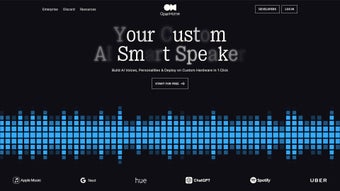

Download OpenHome – AI Voice Control, Speech‑to‑Text, Text‑to‑Speech Software
Overview
OpenHome is a versatile AI Voice Control solution that brings conversational intelligence to any device or application. Built around a robust Conversational Voice SDK, the platform enables developers to embed human‑like dialogue, speech‑to‑text, and text‑to‑speech capabilities without reinventing the wheel. Whether you are creating a smart‑home hub, a medical transcription service, an educational language‑learning app, or a customer‑service chatbot, OpenHome provides the core building blocks needed to understand spoken language, generate natural responses, and react to user intent in real time.
What sets OpenHome apart is its open‑source foundation, which gives startups and enterprises the freedom to customize, extend, and even contribute back to the community. The SDK includes a powerful personality builder, allowing you to define voice timbre, accent, and conversational style, so the AI can reflect your brand’s tone. Additional features such as instant translation, emotion detection, and intelligent scheduling turn a simple voice interface into a multi‑modal assistant that can handle complex workflows.
Security and privacy are baked in: all audio data can be processed locally or routed through encrypted channels, ensuring compliance with GDPR, HIPAA, and other regulations. In short, OpenHome is more than a voice library; it is a complete ecosystem designed to make voice‑first interactions accessible, secure, and infinitely adaptable.
Key Features & Capabilities
- Conversational Voice SDK for seamless integration across platforms.
- High‑accuracy Speech‑to‑Text engine supporting 30+ languages.
- Natural‑sound Text‑to‑Speech with selectable voices, emotions, and accents.
- Personality Builder to customize tone, pitch, and interaction style.
- Instant Translation module for real‑time multilingual conversations.
- Emotion Detection that flags frustration, joy, or confusion in the speaker.
- Smart Scheduling assistant that can create calendar events from voice commands.
- Local processing option for on‑device privacy‑first deployments.
- Extensible plugin architecture for third‑party extensions and custom models.
- Comprehensive analytics dashboard for usage insights and performance monitoring.
Each feature is engineered to work out‑of‑the‑box while still offering deep configurability for power users. The Speech‑to‑Text engine leverages a hybrid neural‑statistical model that balances low latency with high transcription accuracy, even in noisy environments such as factories or bustling cafés. Text‑to‑Speech is powered by WaveNet‑style neural vocoders, delivering lifelike intonation that can be fine‑tuned for different personas—think a calm therapist voice for mental‑health apps or an energetic announcer for sports broadcasts.
The Personality Builder is a visual interface where developers can drag‑and‑drop voice attributes, define response latency, and embed brand‑specific phrases, ensuring that the AI feels truly owned by the product it powers. Instant Translation removes language barriers by converting spoken input into the target language in under a second, making OpenHome ideal for global support centers. Emotion Detection adds a layer of empathy: the system can adapt its replies when it senses user frustration, escalating to a human agent if needed.
Finally, the open‑source nature of OpenHome means you can host the entire stack on your own servers, apply custom models, or contribute improvements back to the community, fostering a collaborative ecosystem that evolves with real‑world use cases.
Installation, Usage & Compatibility
Getting started with OpenHome is intentionally straightforward. First, visit the official GitHub repository and download the latest release package for your target platform. The repository includes pre‑compiled binaries for Windows, macOS, Linux, Android, and iOS, as well as source code for developers who prefer to compile from scratch. After downloading, extract the archive and run the installer script—on Windows this is install.exe, on macOS and Linux it’s a setup.sh script, and on mobile platforms the SDK is distributed as a Gradle or CocoaPod dependency. The installer checks for required runtimes (such as .NET 6 on Windows or JDK 11 on Linux) and prompts you to install missing components automatically.
Once installed, the OpenHome Console launches, guiding you through an initial configuration wizard. Here you select the default language model, enable or disable local processing, and create your first voice persona using the built‑in Personality Builder. The wizard also generates an API key that you will use to authenticate your applications. Integration is as simple as adding a single line of code to your project:
import com.openhome.sdk.*; // Java example
VoiceAssistant assistant = new VoiceAssistant("YOUR_API_KEY");
assistant.startSession();
The SDK abstracts away the complexity of audio capture, network communication, and response handling, allowing you to focus on business logic. For more advanced scenarios—such as customizing the speech model or adding third‑party plugins—the documentation provides detailed guides and sample projects. OpenHome also ships with a sandboxed testing environment where you can simulate voice interactions, view transcription logs, and tweak parameters in real time.
Compatibility: OpenHome runs on Windows 10/11, macOS 12+ (including Apple Silicon), major Linux distributions (Ubuntu 20.04+, Fedora 33+), Android 8.0+ and iOS 13+. The SDK is written in C++ with language bindings for Java, Kotlin, Swift, JavaScript, and Python, ensuring that virtually any development stack can leverage its capabilities.
Pros and Cons
Pros
- Highly accurate speech recognition across many languages.
- Natural‑sound TTS with extensive voice customization.
- Open‑source core gives full control over data privacy.
- Instant translation and emotion detection add unique value.
- Cross‑platform support simplifies multi‑device deployments.
- Rich plugin architecture encourages community extensions.
- Comprehensive analytics help optimize user experience.
- Clear documentation and sample code accelerate development.
Cons
- Initial setup can be daunting for non‑technical users.
- Local processing requires more CPU and memory resources.
- Advanced features (e.g., emotion detection) may need paid cloud credits.
- Limited official support channels; community reliance is high.
- Some language models are still in beta and may have higher error rates.
OpenHome delivers a powerful, flexible voice AI platform that feels at home in both startup prototypes and enterprise‑grade solutions. Its open‑source nature and extensive feature set outweigh the occasional learning curve, making it a top choice for developers seeking a future‑proof voice interface.
Frequently Asked Questions & Final Thoughts
Is OpenHome free to use?
The core SDK and most features are released under an MIT license, so you can download, modify, and deploy OpenHome without any licensing fees. Certain premium cloud services—such as high‑volume translation or advanced emotion analytics—are billed on a usage‑based model.
Can OpenHome run completely offline?
Yes. OpenHome includes an optional on‑device inference engine that processes speech locally, eliminating the need for an internet connection. This mode is ideal for privacy‑sensitive applications, though it requires more RAM and CPU compared to cloud‑only processing.
How does OpenHome handle user data privacy?
All audio streams can be encrypted in transit using TLS 1.3, and the SDK offers a fully offline mode that never leaves the device. When cloud services are used, OpenHome adheres to GDPR, HIPAA, and CCPA standards, providing configurable data retention policies.
What programming languages are supported?
The native library is written in C++, with official bindings for Java, Kotlin, Swift, Objective‑C, JavaScript (Node.js), and Python. Community‑maintained wrappers also exist for Rust, Go, and .NET.
Is there a commercial support plan?
While the open‑source project relies primarily on community support, the creators offer optional enterprise support packages that include SLA‑backed issue handling, dedicated account managers, and custom model training.
Conclusion & Call to Action
OpenHome stands out as a comprehensive, future‑ready AI voice control platform that balances flexibility, performance, and privacy. Its open‑source licensing removes financial barriers, while the extensive feature set—ranging from speech recognition to real‑time translation—covers virtually every use case you can imagine. Whether you are building a smart‑home hub, a multilingual call center, or an assistive healthcare device, OpenHome provides the tools you need to create a natural, engaging conversational experience. Ready to give your product a voice? Download the latest OpenHome release now, follow the quick‑start guide, and start building the next generation of voice‑first applications today.



.png)



